 Daily GCSE
Mocks and tests, marked for you.
Set a timed assessment from our practice papers in a few minutes. Students sit it in the Daily GCSE app, every answer is marked the moment they hand in, and you get the analysis straight away.
From setting to feedback
A mock or a quick check, in minutes.
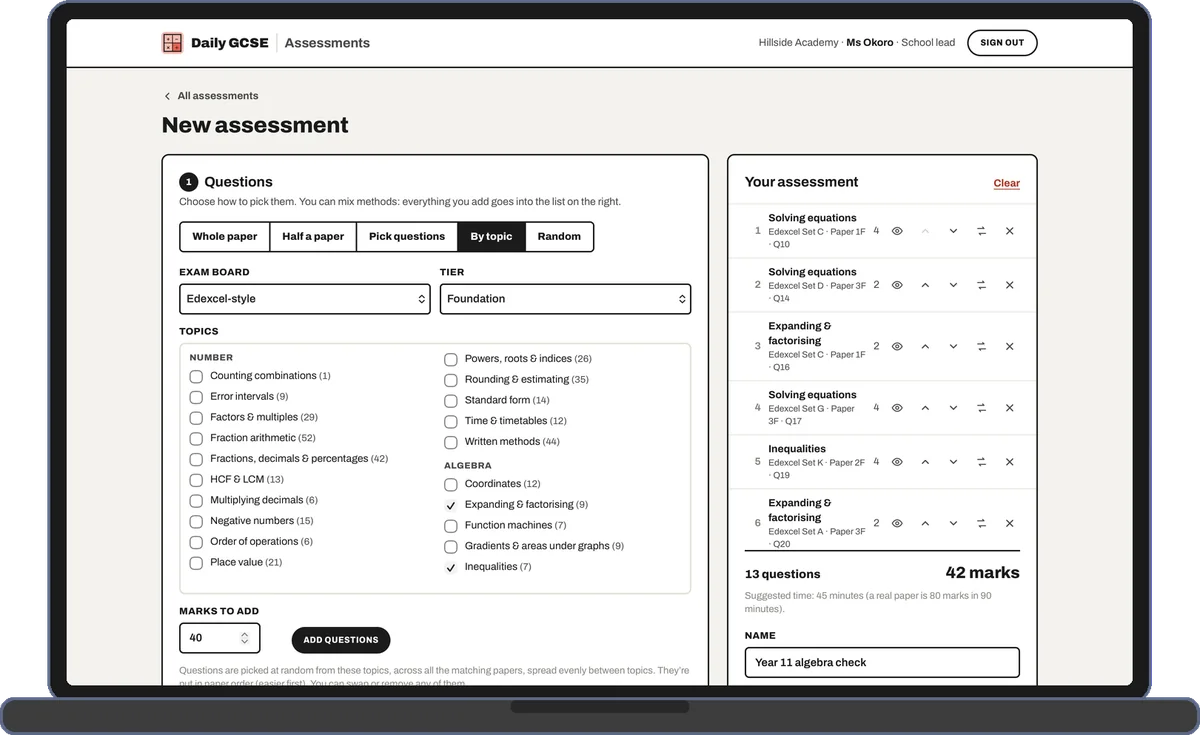
Use a whole paper, half a paper, questions you pick, questions by topic, or a random mix, from 144 original papers in the style of Edexcel and AQA, Foundation and Higher. Mix methods, reorder questions, and swap any one for a similar question.
- Suggested time worked out from the marks: a real paper is 80 marks in 90 minutes.
- Choose the classes, date and window. Teachers set for their own classes; school leads for any class in the school.
- A room code if you want one, so nobody can start from home.
Exam conditions, on any device.
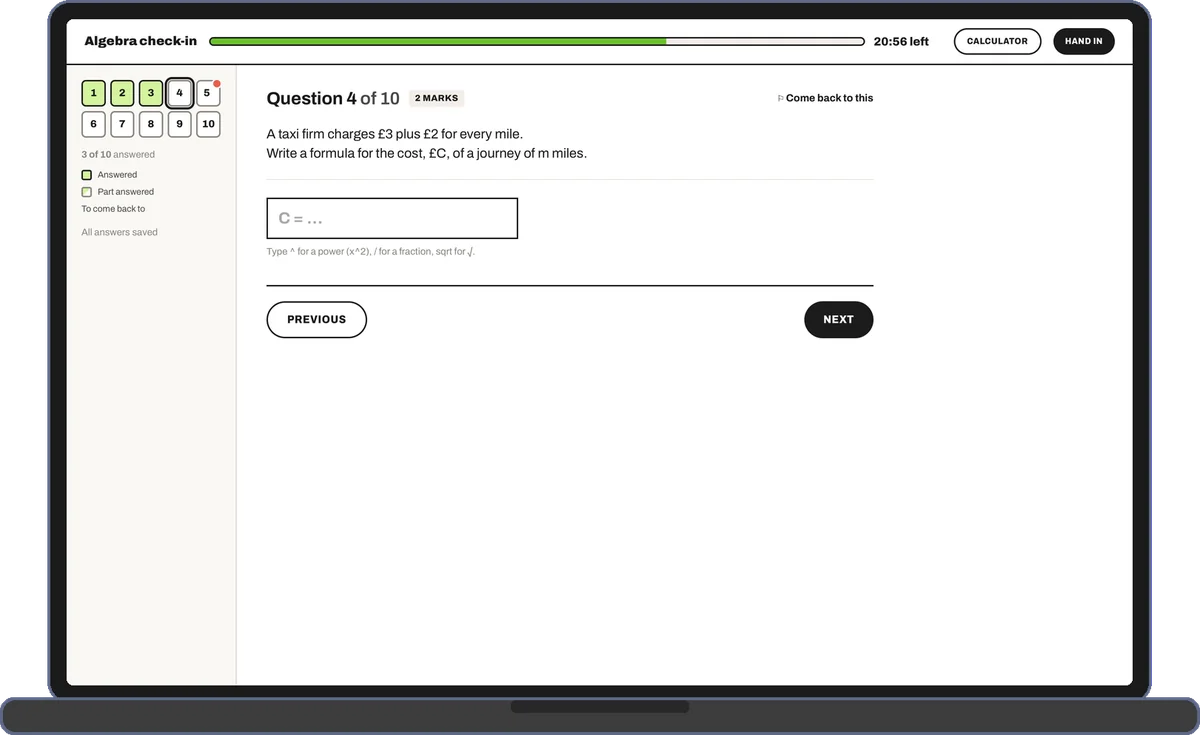
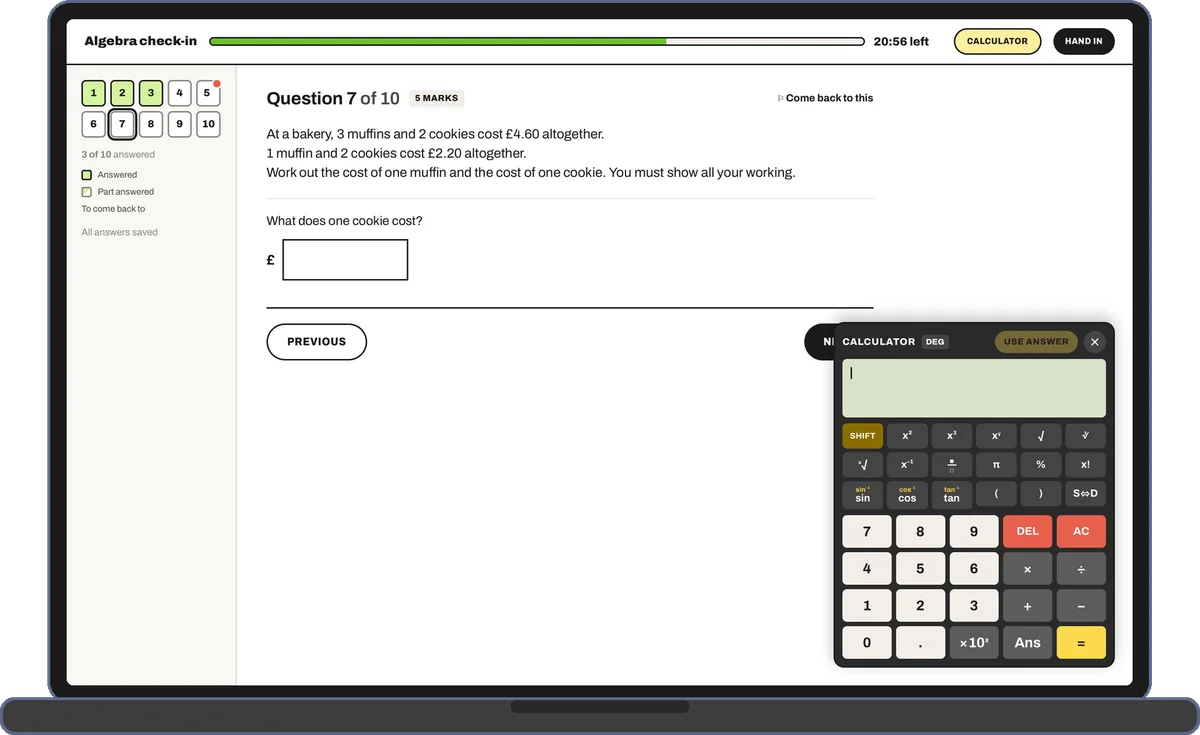
A countdown bar shows the time left. Students move freely between questions, mark ones to come back to, and can change any answer until they hand in. No marks are shown while they work.
- Answers save as they go. After a crash or a lost connection, they carry on where they left off.
- Hands in automatically when their time or the window runs out.
- No hints or guided steps unless you allow them. If you do, using them is recorded but costs no marks.
An on-screen calculator.
On calculator assessments, students get the same scientific calculator as the Daily GCSE app, and can put its answer straight into the box.
See every student, as it happens.
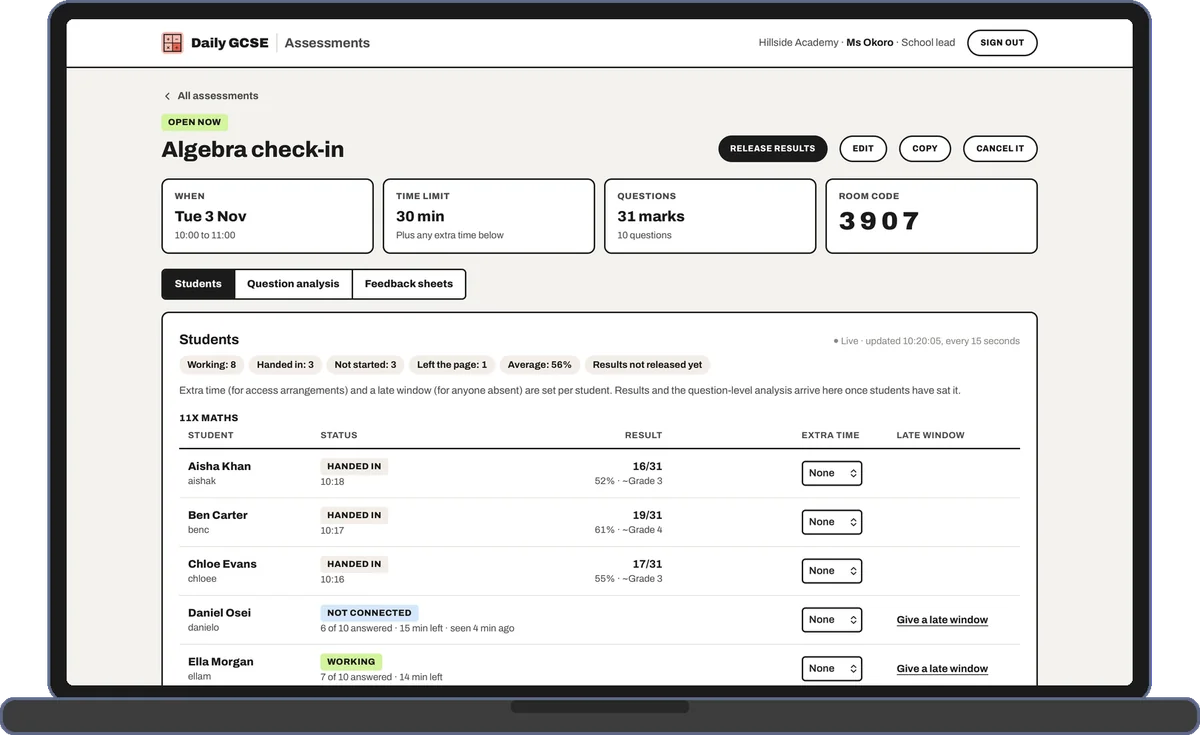
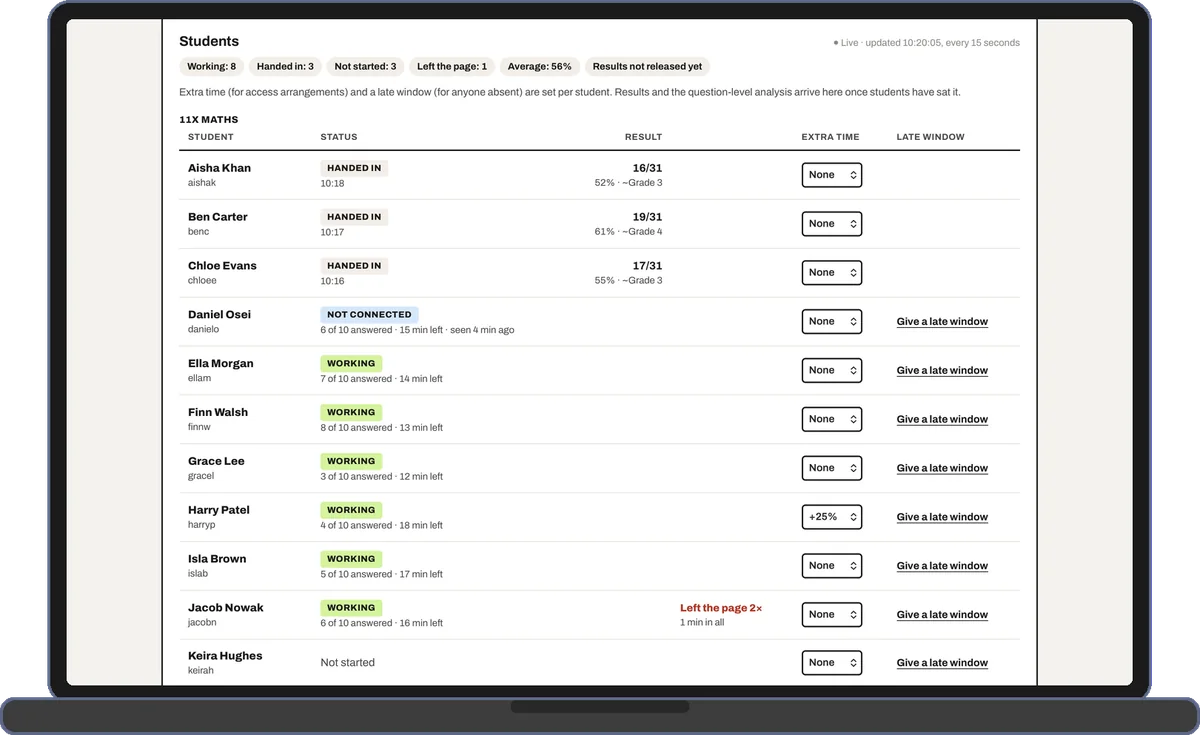
While it runs, the assessment page updates every 15 seconds: who is working, how many questions they have answered, how long they have left, who has handed in, and who has lost their connection.
- Leaving the page is recorded. Students see a warning, and you see how often and for how long.
- Extra time per student, for access arrangements.
- A late window for anyone who was absent, so they can sit it another day.
Every answer marked at hand-in.
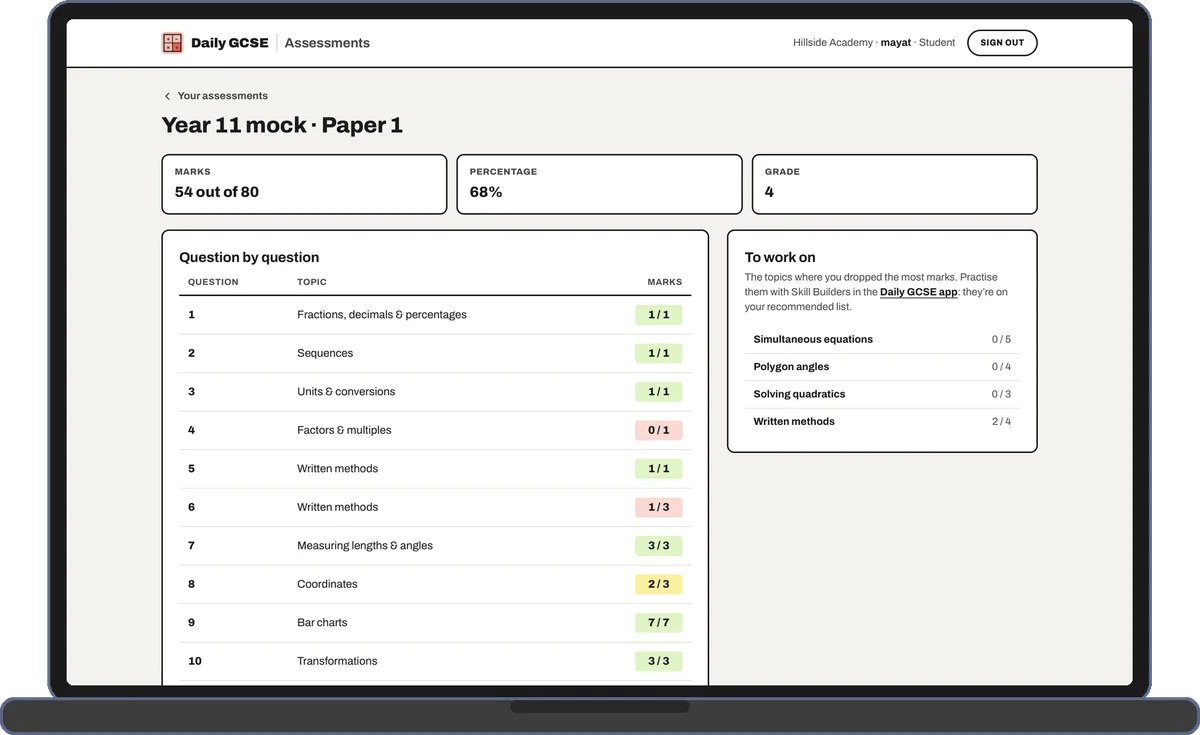
Each student gets a mark, a percentage and a grade from the paper's grade boundaries. If the questions aren't one whole paper, the grade is shown as an estimate. You choose whether students see their results straight away or when you release them.
- It counts as a mock in the Daily GCSE app, and the topics they found hard feed their Skill Builder recommendations.
- Not on the leaderboards, and it earns no points.
Analysis you'd never have time to do by hand
Know what to teach next.
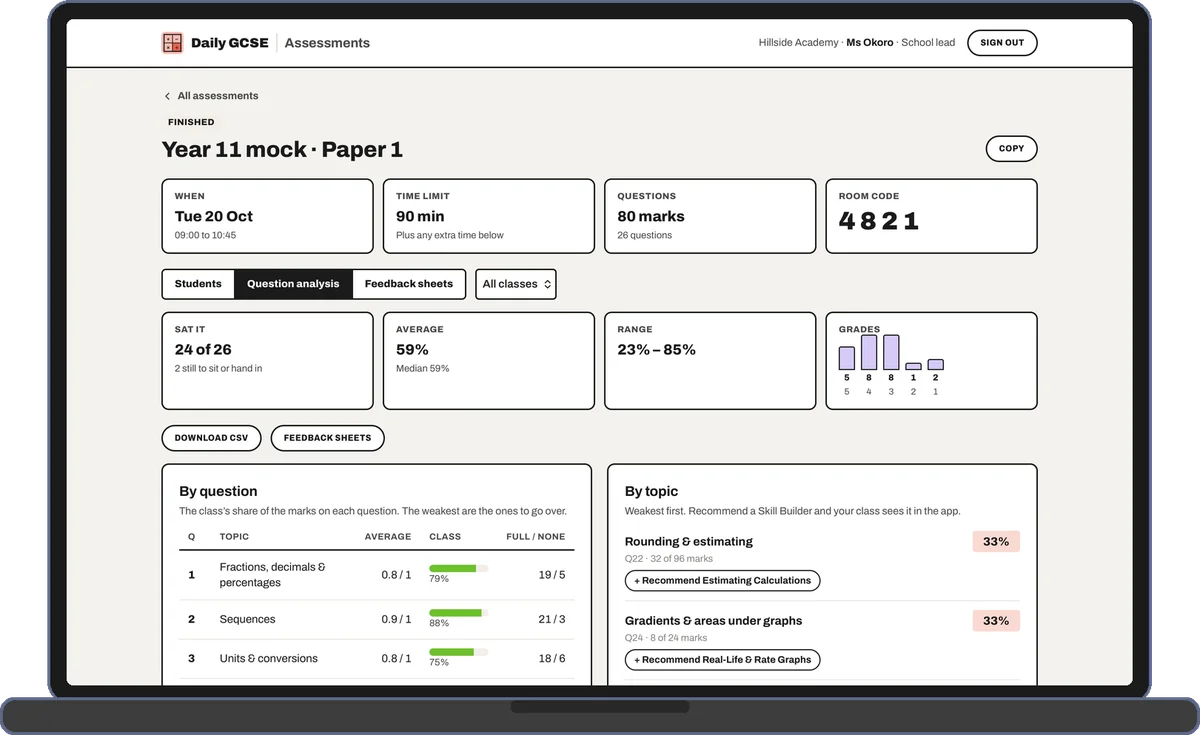
The average, median and range, how the grades spread, and the class's share of the marks on every question. Topics come weakest first, each with the Skill Builders that help.
- Recommend a Skill Builder to the class in one click, and they see it in the app.
- Filter by class, and download it all as a spreadsheet.
Every student, every question.
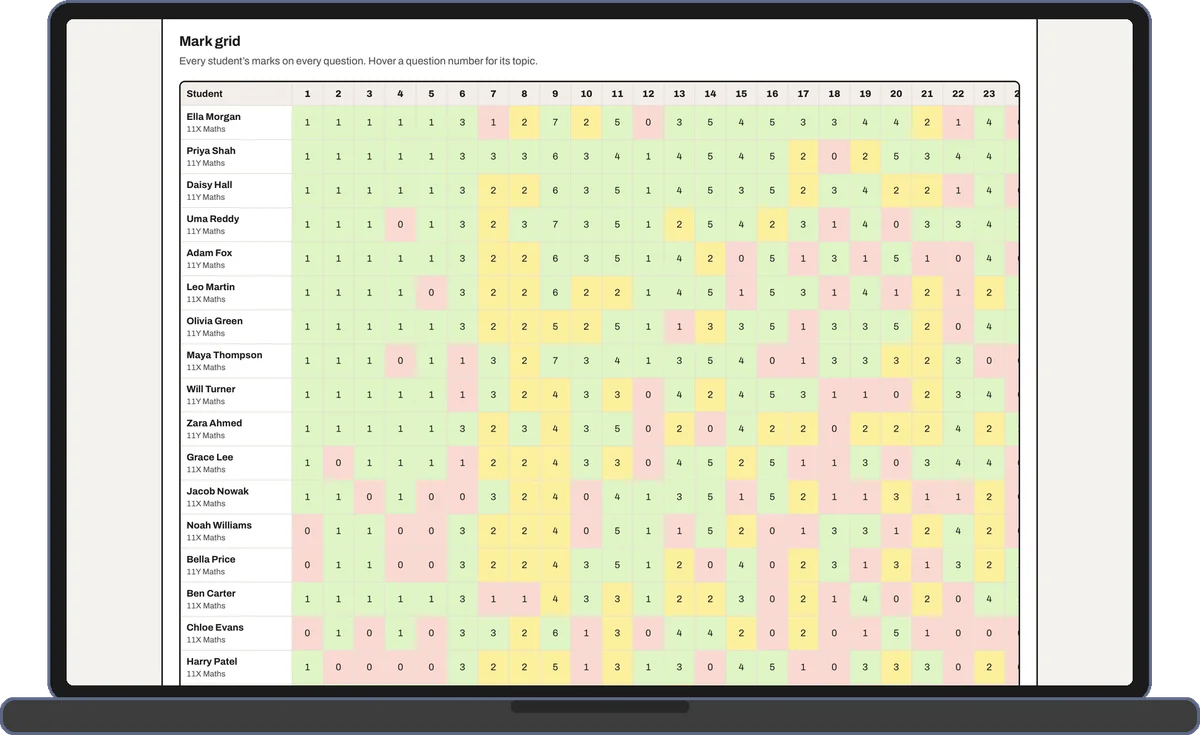
A colour-coded grid of every student's marks on every question, with totals, percentages and grades, and the class average under each question.
Feedback to glue in books.
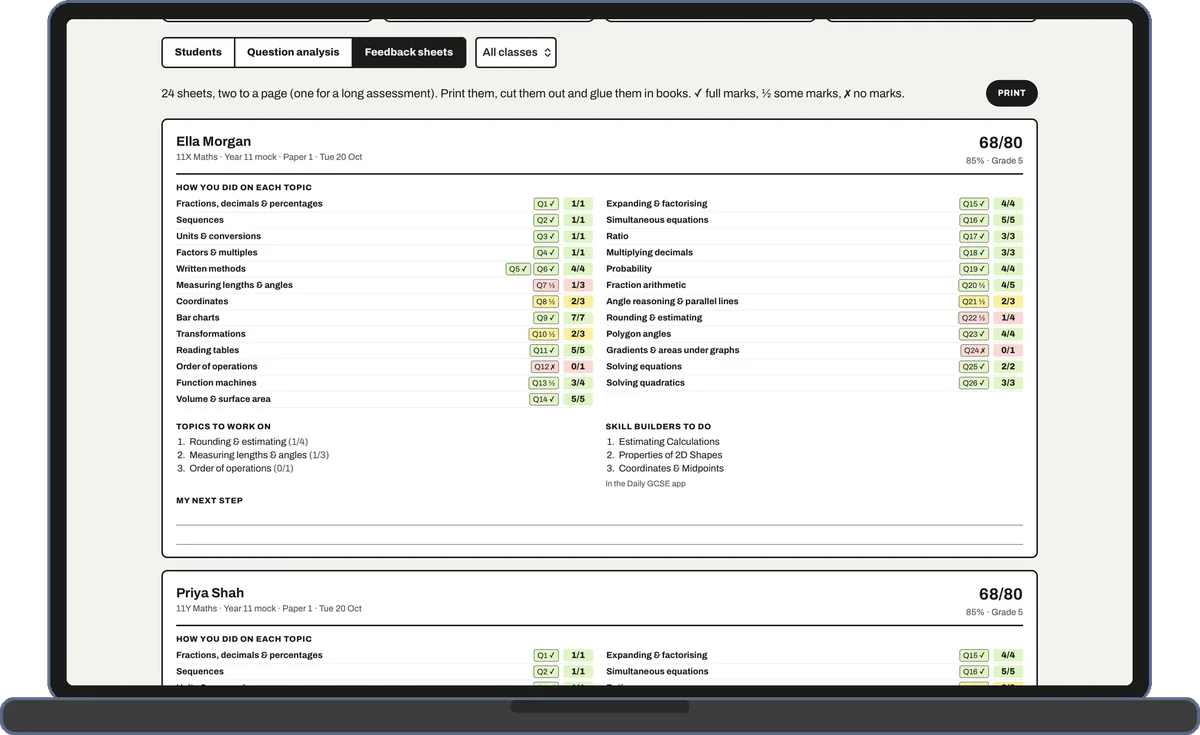
A printable sheet for every student to glue in their book: their mark and grade, how they did on every topic (each question with a tick, half or cross, and the marks for that topic), their three weakest topics, the Skill Builders to do, and a box for their next step.
Everything else
Parents told
Email parents the results when you release them, or just include them in their weekly update. Only parents who've confirmed their address get it.
Answers stay hidden
Questions reach the student's computer without their answers, and marking happens on our server, so results can't be faked.
Nothing to install
Students sit it in the Daily GCSE app they already use, on a computer, tablet or phone, with the same login.
Same school, same accounts
Your classes, students and school leads come straight from Daily GCSE. Nothing to set up twice.
Copy and reuse
Copy an assessment to set it again for another class or a resit, and edit the times and options until it opens.
Your school's data
Results stay inside your school, like everything else in Daily GCSE. Teachers see their own classes; school leads see the whole school.
How an assessment runs
- Set itPick the questions, the classes, the date, the window and the time limit.
- Students sit itOn a computer, any time while it's open, with the room code if you set one.
- It's marked at hand-inEvery answer, with a mark, percentage and grade for each student.
- You look at the analysisQuestion by question and topic by topic, then print the feedback sheets.
- Results go outTo students when you release them, and to parents by email or in their weekly update.
Assessments questions
Can students sit it on a phone or tablet?
Yes. Assessments run inside the Daily GCSE app, so students can sit them on a computer, tablet or phone. A computer is best for a long paper.
Which papers can we use?
Any of our 144 original practice papers, in the style of Edexcel and AQA, at Foundation and Higher, or any mix of their questions. They are written in the style of the real papers but are not past papers.
Does it need a whole paper?
No. Set as many or as few questions as you like. For anything other than one whole paper, the grade is shown as an estimate.
What happens if a student's computer crashes?
Their answers save as they go, so they sign in again and carry on where they left off, with the time they had left.
Can a student who was absent sit it later?
Yes. Give them a late window from the assessment page, and extra time if they need it.
Is it part of a school licence?
Yes. Assessments is included in the School licence.
Mocks without the marking.
Tell us about your school and we'll set you up with Assessments.
Email us at hello@threetalents.co.uk