 Daily GCSE
Set the paper. We do the marking.
Choose a full GCSE paper for your class and Daily GCSE splits it across the week. Every answer is marked for you, and you see exactly where each student is.
Daily GCSE for teachers and schools
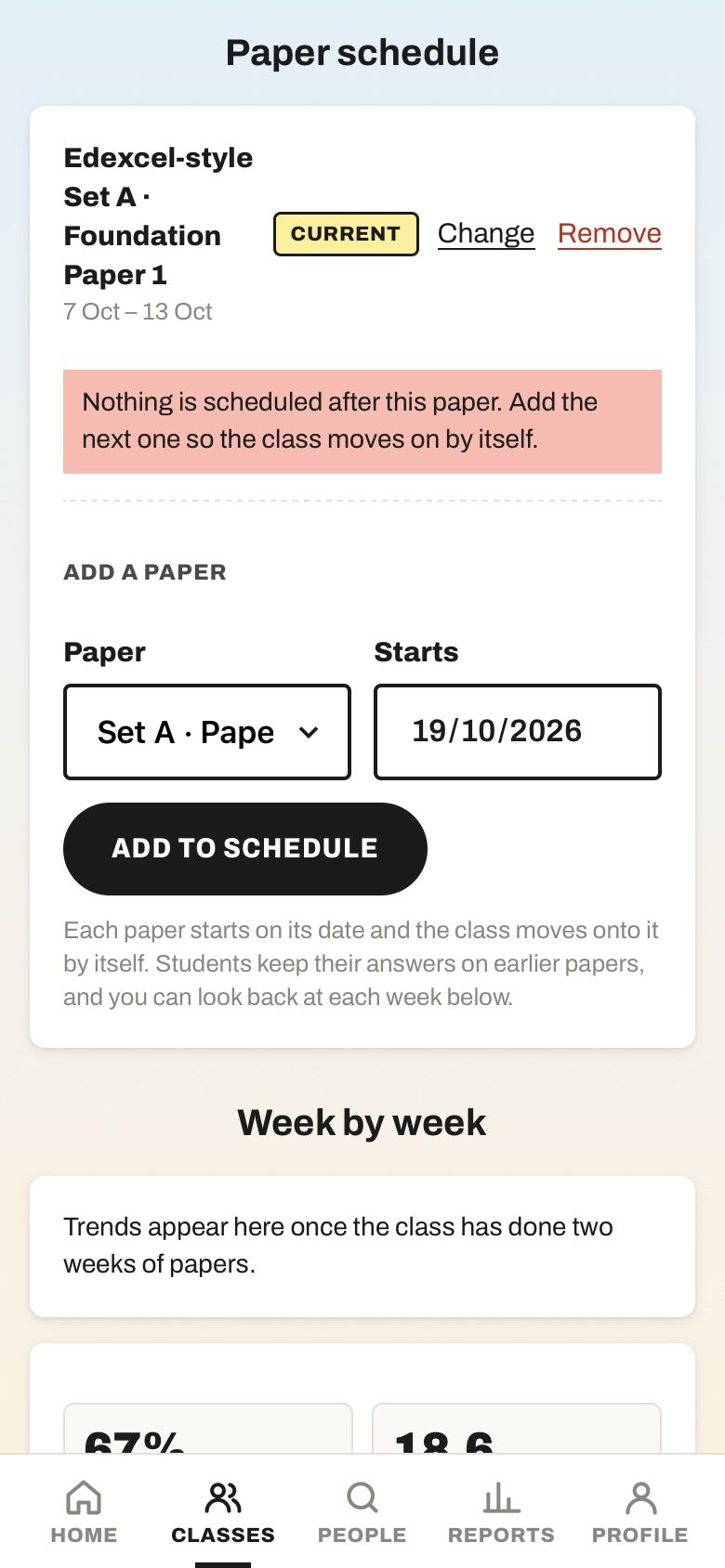
Choose the paper. The class moves on by itself.
Pick a Foundation or Higher paper and a 5 or 7-day split. Line up the next papers on a schedule, and each class moves on to the next one on its start date.
- Original papers in the style of Edexcel and AQA.
- Change or remove the current paper at any time. Students keep their answers.
- Guided steps on, off, or the students' choice.
Every answer, marked for you.
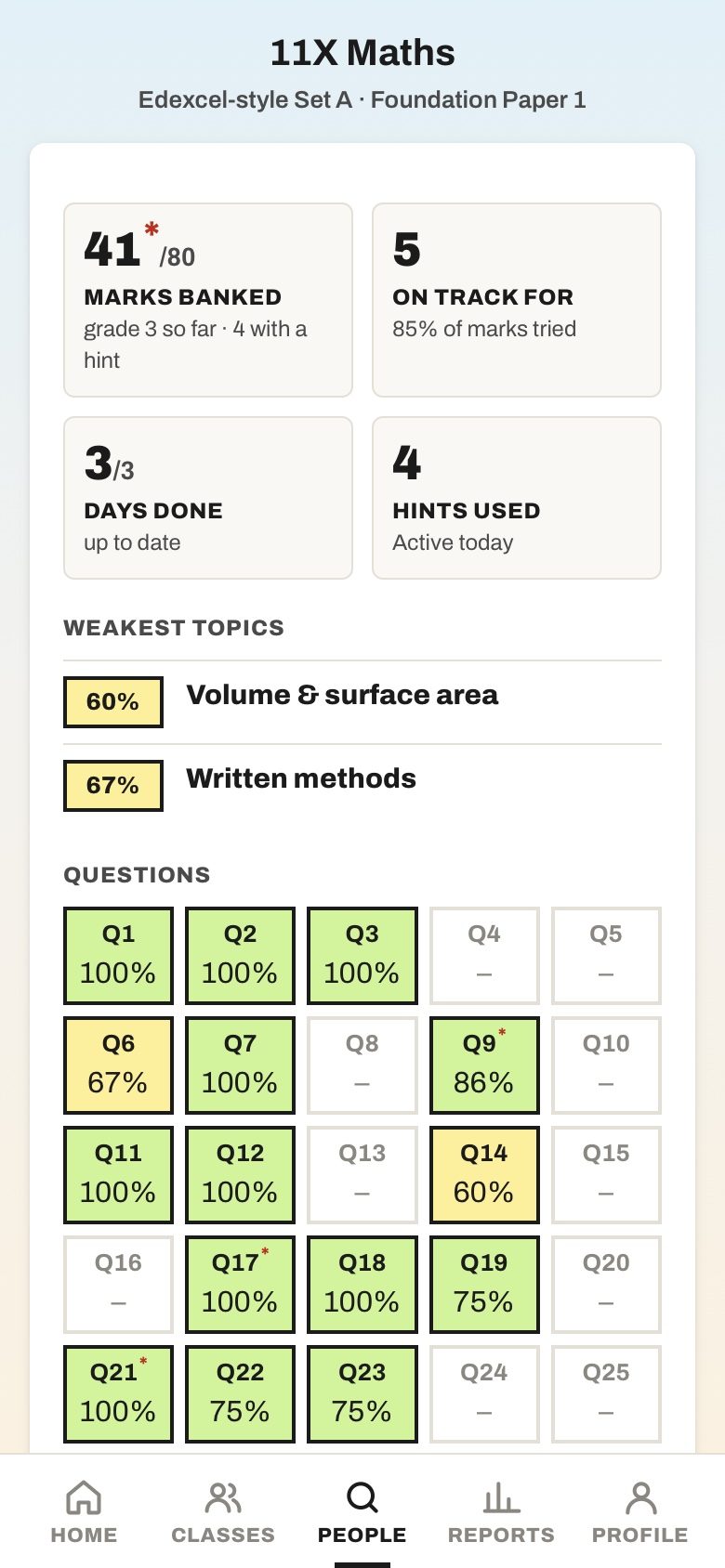
Students get their mark the moment they answer, with hints and worked answers built in. You never mark a thing.
- Marked the moment students answer, and checked again on our server.
- Hint use is flagged, so you know which marks came with help.
- See any student's answers to any question.
Every student's grade, live.
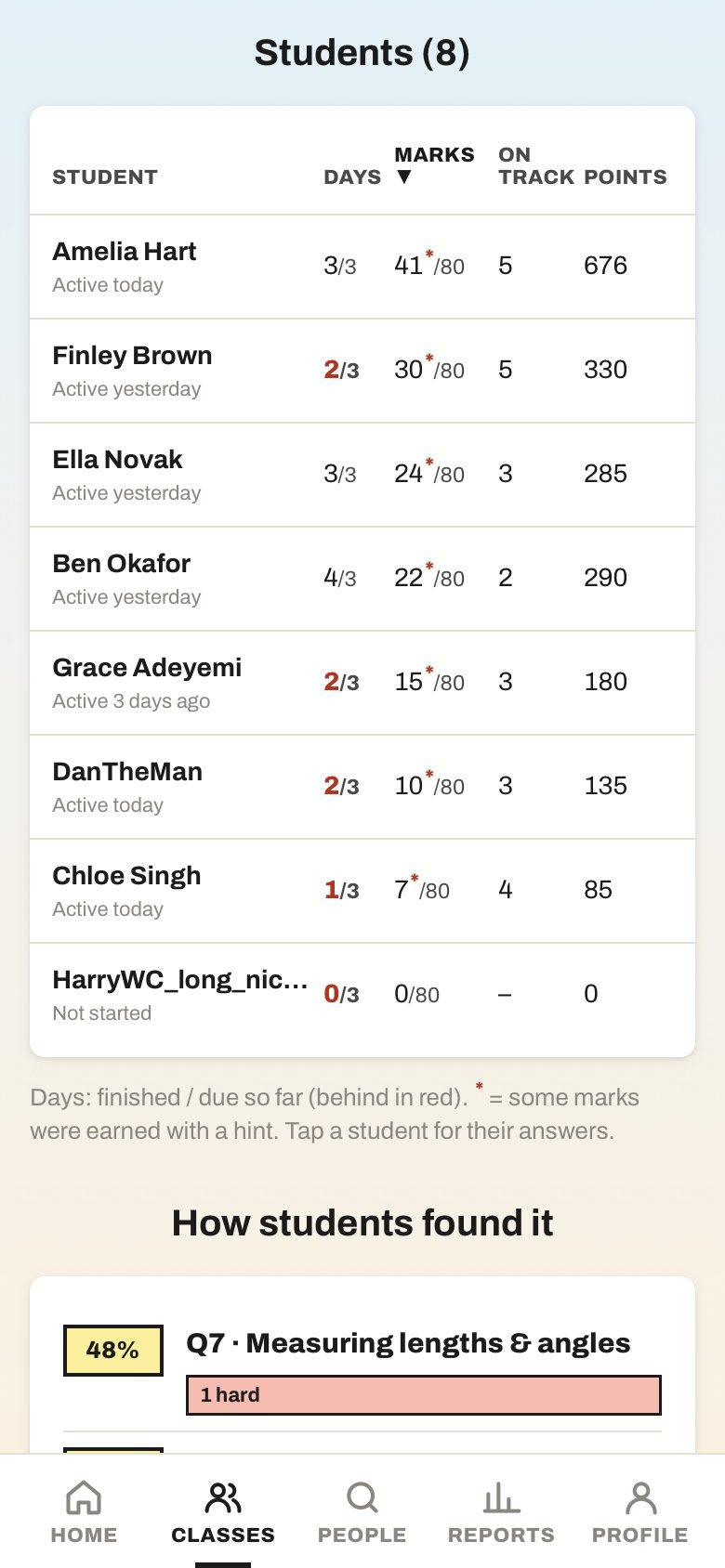
Your class page shows completion, average marks, each student's current grade from the marks they've earned, who's behind, and the questions the class found hardest.
- Catching up: who has missed which days, with their names ready to copy.
- Problem questions and how students said each one felt.
- Week by week trends across every paper.
See which questions the class found hard.
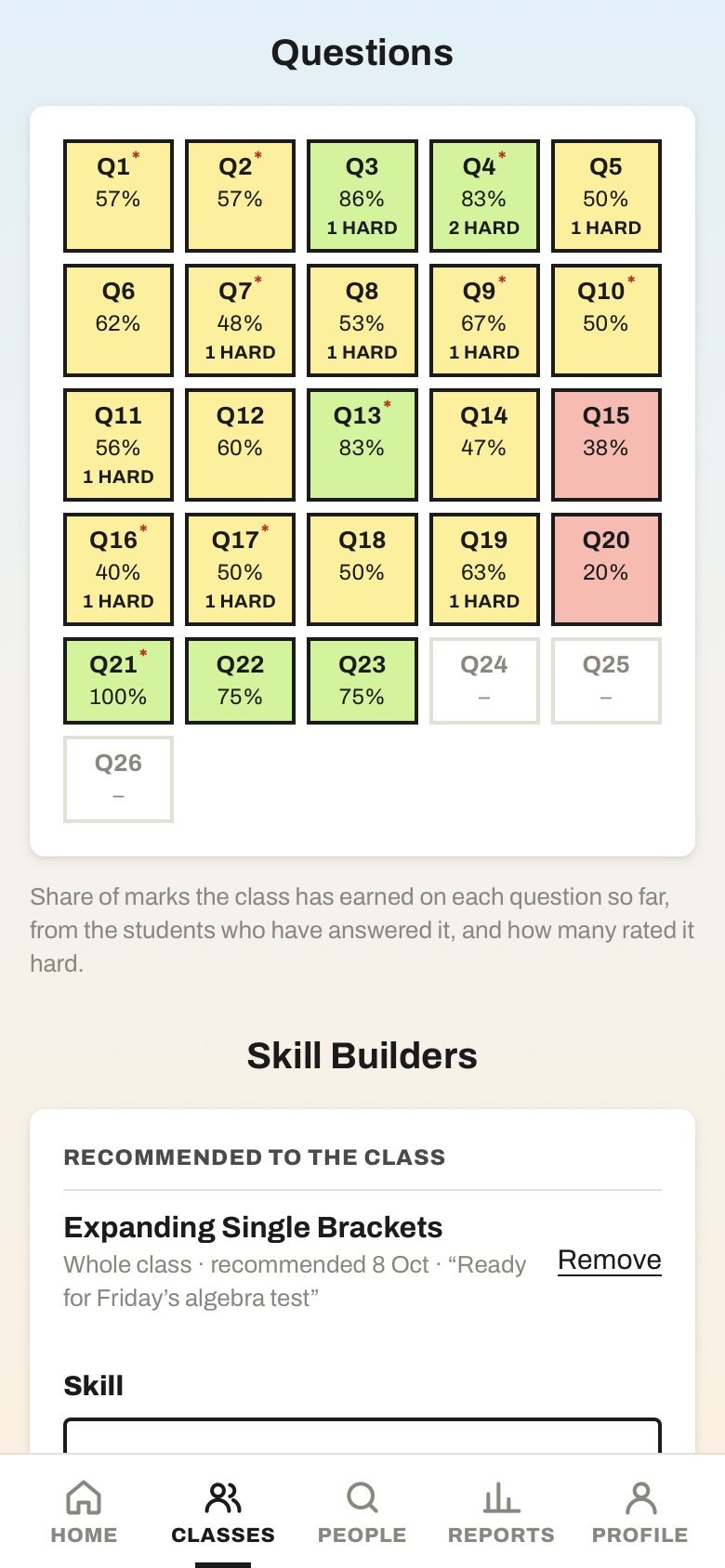
Every question on the paper, coloured by the share of marks your class earned, with how many students said it felt hard. Tap one to see every answer.
- Weakest topics for the class and for each student.
- Who is catching up, and which days they missed.
Recommend skills. Close the gaps.
Recommend any of the 127 Skill Builders to your whole class or to one student, with a note. They see it on their home screen straight away.
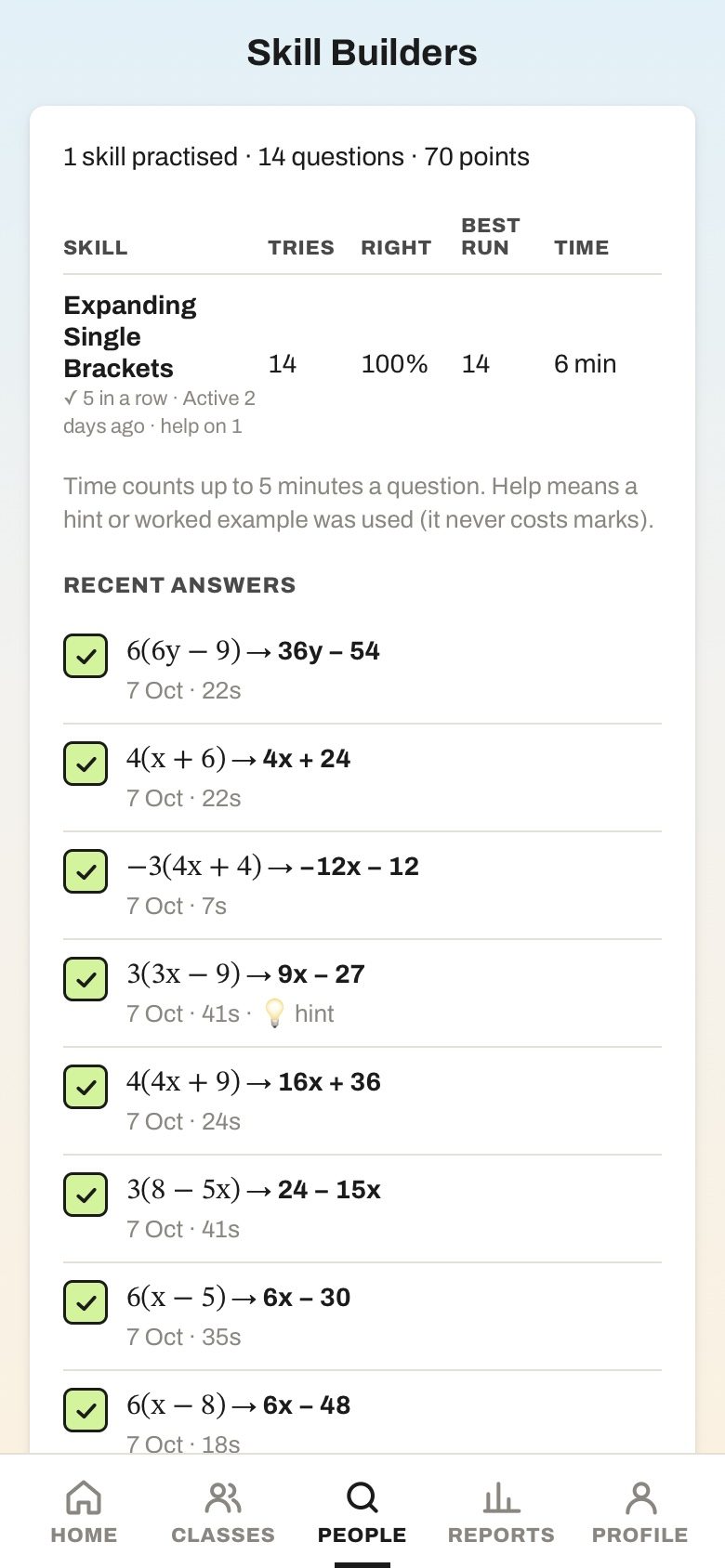
- See every student's practice: questions, accuracy, best run and time.
- Recent answers, with any help they used.
- Suggestions come from the questions each student missed. More about Skill Builders
Everything else you'll use
Accounts in minutes
Paste in a class list and every student gets a username and password, with printable login cards. Reset passwords whenever you need to.
Reports
A Reports tab for all your students: completion, success rate, current grades, topics and Skill Builders, downloadable as a spreadsheet.
See what they see
Sign in as one of your students to look around or answer for them. Answers are marked as given by staff, and it's recorded.
Co-teachers
Share a class with a colleague. Both of you see everything and can add students.
Parents in the loop
Add up to two parent emails per student for a weekly update after each paper. You can preview each student's email and report, or send it straight away.
Works on anything
On the board in class, on your laptop, or on your phone between lessons.
Teachers ask
How do students join my class?
You add them. Create new accounts from a pasted class list, or add students who already have an account at your school. Students can't join or leave classes by themselves.
Can I change the paper halfway through?
Yes. Change or remove the current paper from the class page at any time. Students' answers on the old paper are kept.
Do hints count?
Marks earned with a hint still count towards the paper mark, with an asterisk so you can see who had help. They earn fewer points.
What if a teacher leaves?
Your school lead can hand the class to another teacher. Every student, paper and result stays with the class.
Try it with your class.
Get in touch and we'll set your school up, or sign in if you already have an account.
Email us at hello@threetalents.co.uk